

With thousands of ESL teachers heading overseas each year, your classroom skills won’t count for much if students can’t follow along when the tech goes sideways. That’s exactly why digital preparation is so important.
Digital preparation for ESL teachers serves as a strategic path to boost your reliability, strengthen engagement, and deliver real results. When you build a well-planned digital toolkit, you become the educator who keeps lessons running smoothly in any classroom, anywhere in the world.
In this guide, we will explore practical technology tips for teachers working abroad. You will see how digital tools help ESL teachers and pick up strategies you can use right away for classroom success.
Stick with us to find out everything about digital hacks that work in any classroom worldwide.
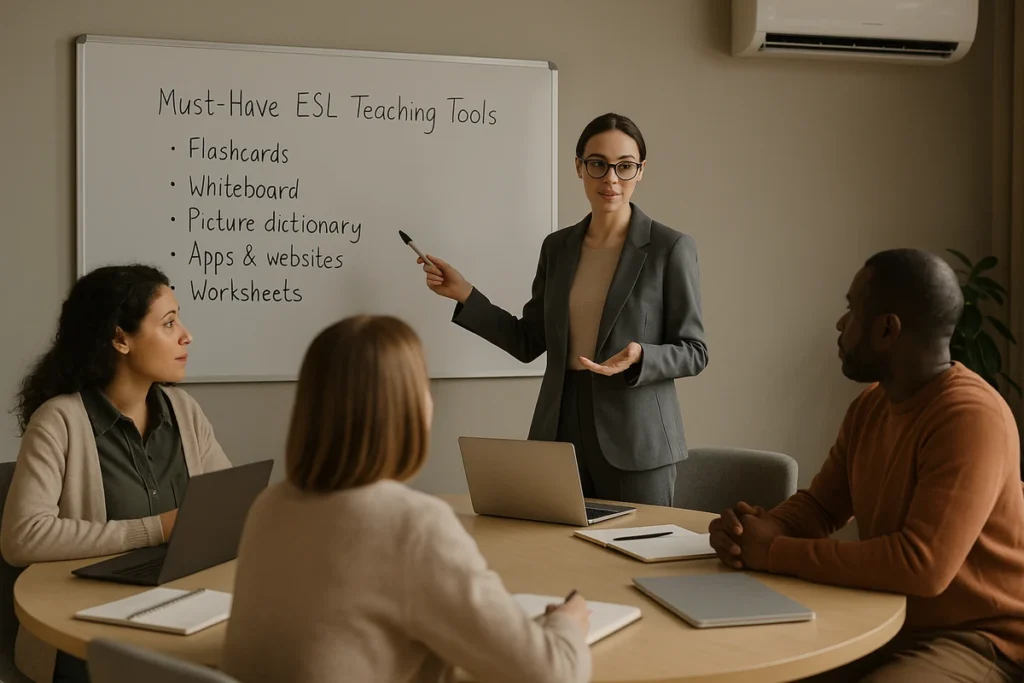
Must-Have ESL Teaching Tools That Never Fail
Let’s get real about the challenges of teaching abroad. They include: limited budgets, unreliable WiFi, and tech that crashes when you need it most. But don’t worry, these ESL teaching tools are designed to work when everything else fails.
Here are the tools that won’t let you down when everything else fails:
- Interactive whiteboard apps that work offline: When connectivity crashes mid-class, Jamboard and OpenBoard keep lessons moving forward seamlessly. Students can still interact with content while you troubleshoot technical problems.
- Simple lesson planners with cloud backup: Picture losing weeks of preparation to a laptop crash. Planbook Teacher prevents this nightmare by syncing across all your devices automatically.
- Translation tools for multilingual students: Google Translate’s camera feature becomes your lifesaver when ESL learners speak zero English initially. It translates signs, worksheets, and student notes in real-time.
- Audio recording software for pronunciation practice: Why repeat the same sounds again and again? Tools like Audacity let students listen on their own. They hear the differences clearly, and teachers can make simple guides for practice.
- Presentation design on slow connections: Presentation makers like Canva work smoothly, even on slow internet connections. Unlike large PowerPoint files, Canva’s light templates load fast, so you can create visuals without lag or crashes.
After covering the core, let’s focus on lesson plans that truly engage.
Dynamic Lesson Plans That Travel Well
Cookie-cutter lesson plans crumble the moment you step into a new culture. For example, what worked in Australia might confuse students in Thailand or bore learners in Brazil. The same plan everywhere is like wearing a winter coat in summer, possible but completely wrong.
That means the solution isn’t scrapping your methods but building flexibility into every lesson.
The framework covers three adaptable approaches:
Template Systems That Bend Without Breaking
Flexibility starts with frameworks that accommodate cultural differences. For you as an ESL teacher, this means creating templates with changeable sections where you can swap in local examples and cultural references that connect with your specific students. After building these templates, you can adjust them to any student group without major rewrites.
Cultural Bridge-Building Techniques
Why teach past tense with American historical events when local history works better? It’s undeniable that students learn a new language better when it connects to things they already know. This makes English feel useful instead of separate from their everyday life.
Emergency Backup Strategies
Every teacher needs a Plan B for unexpected situations. The practical approach involves keeping simple activities that work without technology, the internet, or specific materials handy. These backup plans often become your most engaging teaching moments with students.
Now that your lessons can adapt anywhere, it’s time to learn the free resources that make teaching abroad easier.
Free ESL Resources Every Global Teacher Needs
Free doesn’t always mean good when it comes to ESL resources, but some platforms genuinely deliver professional-quality materials. But there is a challenge that people often overlook: choosing helpful resources over useless websites.
Not all platforms are created equal, but these three prove their worth. Sites like British Council Learn English, Cambridge English Online, and News in Slow English offer reliable, structured content. They function effectively regardless of your location or internet restrictions.
Based on our experience, teachers who create offline resource libraries before travelling report 50% fewer classroom preparation struggles when technology fails abroad.
Building Your Global Classroom Environment
Your classroom setup shouldn’t depend on luck or local IT support when teaching abroad. What you need is a classroom setup that works the same way in every country you teach.
You can follow this progression to set up anywhere:
- Digital Workspace Essentials: Muscle memory saves time. That’s why you should set up all your devices the same way. For example, use the same bookmarks, shortcuts, and folder layouts everywhere. After you develop these habits, you feel comfortable right away.
- Visual Environment Creation: What message does your background send to students? It signals how much you value them. When you blend professionalism with local cultural touches, you show respect and help learners feel more connected.
- Connectivity Problem-Solving: Expect the internet to fail at the worst moment. To stay prepared, download resources that work offline and set up phone hotspots as backups. Plan other ways as well to deliver your lessons before problems happen.
- Inclusive Space Design: Every student learns differently. For this reason, you should create different ways for students to learn through seeing, hearing, and reading. In this way, students from all cultures and backgrounds can benefit from this learning.
- Tech Troubleshooting Basics: Don’t let glitches derail you. Instead, rely on quick fixes for projectors, networks, and devices to show confidence and keep lessons running smoothly.
A strong classroom base clears the way for effective tech use ahead.

Google Slides Tricks That Save Hours
Google Slides beats PowerPoint hands down for international teaching. Since it is cloud-based, you avoid compatibility issues and those crashes on outdated school computers.
Even better, the collaboration tools reshape lesson prep completely. This means a teaching assistant can add cultural context overnight. Plus, students contribute examples from their own world instead of confusing foreign references.
Beyond collaboration, voice embedding becomes a powerful tool for pronunciation work. Teachers record difficult sounds, place them in their slides, and give students the freedom to practice independently without breaking the lesson flow.
This streamlined approach consistently saves hours each week and makes teaching more efficient.
Organising Your School Year Digitally
Each country runs its schools differently. Their calendars don’t match up, which creates problems for teachers. What makes this even more complex is that you’re juggling local holidays, assessment schedules, and administrative requirements that change based on your teaching location.
Experienced teachers use this layered approach:
- Long-term Planning Tools: Calendar apps that sync everywhere prevent scheduling chaos. You can also use them to align your lesson goals with school requirements while staying consistent for your students.
- Monthly Progress Tracking: Language barriers mean students advance at completely different rates. While one student might excel at speaking, another struggles with writing basics. That’s where simple tracking tools become your lifesaver. Spreadsheet templates or apps like Teacherkit let you monitor everyone’s progress without sacrificing your personal time to endless paperwork.
- Weekly Logistics Management: Wasting time coordinating through email isn’t a good option anymore. It’s because modern shared tools handle everything automatically. Through digital planners, local staff stay updated on schedule changes, meetings, and administrative deadlines seamlessly.
Your digital setup is complete at this point. Now we can explore educational resources that support your teaching.
British Council Resources Plus Hidden Gems
Imagine building a house without a strong base. British Council resources provide that foundation, but they’re only the beginning. You get better results when you pair them with creative platforms that bring cultural richness and engage students.
Official Powerhouses vs Underground Favourites
British Council Learn English provides reliable content that schools around the world trust. Meanwhile, platforms like FluentU and English Central bring in video-based learning. These tools engage younger students who prefer interactive content.
When you look at regional preferences, the picture shifts further. For instance, European students often connect well with BBC Learning English, while many learners in Asia lean toward Visual English lessons. Our recommendation is: check how well these work with your internet to make the best choice. This ensures the platforms you pick work reliably in your classroom.
Of course, quality resources are just half of the equation. The other half is about streamlining your workflow to maximize teaching impact and minimize time spent.
Time-Saving Automation Hacks
Time becomes your scarcest resource when teaching abroad. At the same time, you’re dealing with lesson planning, cultural adaptation, and even learning a new language. That’s where automation steps in to handle repetitive tasks so you can focus on actual teaching.
These three areas offer significant time-saving potential:
Grading That Happens While You Sleep
Google Forms creates self-grading quizzes for vocabulary and grammar practice. This setup gives students quick results and shows you exactly where they struggle. From then on, it handles the work without demanding extra attention.

Feedback Systems That Scale
Record video explanations for common errors instead of writing the same comments repeatedly. In turn, this lets students hear your tone and see your expressions, so the feedback feels personal even when automated.
Content Creation Shortcuts
You can rely on AI tools like ChatGPT to create practice sentences with local cultural flavor. The tool delivers ready-to-use content that fits your students’ lives and reinforces grammar. Drawing from our experience, this approach saves 3-4 hours weekly on lesson preparation tasks.
Put all three into practice and you will quickly notice how much lighter your weekly workload feels. You will also find that it gives you more focus for real teaching.
Live Captions and Accessibility Magic
You might think live captions only help students with hearing challenges, but that’s completely wrong. They benefit every single learner in your international classroom, especially with unfamiliar accents or complex vocabulary that students haven’t encountered before.
The real impact comes when students see and hear simultaneously. In that moment, spelling becomes clear, pronunciation makes sense, and comprehension improves dramatically.
Most platforms now have automatic captions, so setup is quick and easy. Through our hands-on experience, classrooms that use captions see more engaged students and fewer requests to repeat things.
Start Your Teaching Adventure With Confidence
International ESL teaching demands technical skills that traditional training programs rarely address effectively. This gap means many teachers struggle with connectivity issues, cultural adaptation, and resource limitations that derail classroom success. However, effective digital preparation transforms these challenges into manageable opportunities.
This guide explored practical tools, flexible lesson frameworks, quality resources, workspace organization, and presentation techniques for global educators. We also talked about planning your whole school year, finding helpful websites, ways to save time, and making sure all students can learn well.
Biography Shelf has supported Australian teachers worldwide since 2007. Grow your teaching career overseas using our reliable placement network in Europe, Asia, Latin America, and more.